









How to Download an Entire Pinterest Board at Once
Learn how to download multiple Pins from a Pinterest board at once, what Snapzia can collect, current limits, and what to do when some Pins cannot be fetched.
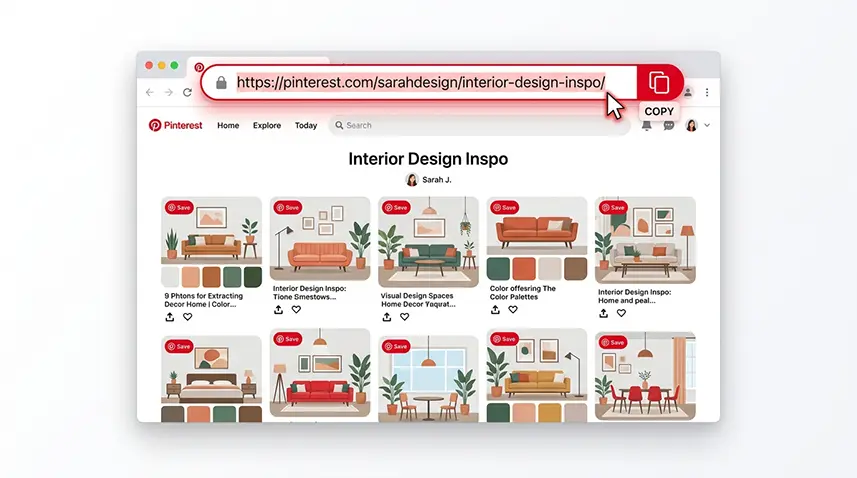
Downloading a few Pins is easy. The problem starts when a Pinterest board contains dozens of images and videos and you want to save a useful collection without opening every Pin one by one. This guide explains how to download an entire accessible board with Snapzia, what the tool can collect, and why some Pins may be missing.
1. Copy the Pinterest board link
Open the board you want to save in Pinterest. Copy the board URL from your browser, or use Pinterest's Share option and copy the link. Make sure you copy the board itself, not the URL of an individual Pin inside it.
2. Paste the board link into Snapzia
Open the Snapzia Pinterest Board Downloader, paste the board link into the input field, and start the download process. Snapzia attempts to read the accessible Pins in that board and prepare them for download.
3. What Snapzia can download
The board tool can collect accessible images and videos. The exact result depends on what Pinterest makes available for the board and on the individual Pin. A board is not a guarantee that every item has the same media type or that every Pin will produce a downloadable file.
4. The current board limit
At the moment, Snapzia processes up to the first 25 Pins per run. If your board contains more than 25 Pins, the remaining items are not automatically included in that same run. For a larger board, use the board tool for the first batch, then download important individual Pins with the appropriate image downloader or the main video downloader.
5. Why some Pins may be missing
A board can contain Pins that are no longer available, have changed visibility, or cannot be fetched successfully at the moment. Private or secret boards are not accessible to external download tools. The same can happen with a board that was deleted or made private after you copied its link. If only one item fails, try opening that Pin directly in Pinterest before assuming the whole board is unavailable.
Board vs. Carousel: which one do you need?
A board is a collection of separate Pins. A Carousel is one Pin containing multiple slides or media items. If you want all slides from one Carousel Pin, use the Pinterest Carousel Downloader instead. Use the board downloader when your goal is to collect multiple Pins from a board.
A practical way to save a large board
For a large collection, start with the board downloader, review the files you received, and then download only the missing or most important Pins individually. This avoids repeatedly downloading an entire collection just because you need one item.
Related: For individual Pinterest videos, read How to Download Pinterest Videos. If an animated Pin downloads as a video, see Why a Pinterest GIF may save as a video.
Frequently Asked Questions
How do I download an entire Pinterest board at once?
Copy the board URL, paste it into the Snapzia Pinterest Board Downloader, and start the process. The tool collects the accessible Pins within the current limit.
How many Pins can Snapzia download from a board?
The current limit is up to the first 25 Pins per run.
Can I download a private or secret Pinterest board?
No. Private and secret boards are not accessible to external download tools.
Does the board downloader support both images and videos?
Yes. It can collect accessible images and videos from the board, although the result can vary by Pin.
What if my board has more than 25 Pins?
Use the board downloader for the available batch, then download additional important Pins individually with the relevant Snapzia downloader.

Ready to download a Pinterest video?
Paste your Pinterest link and download the available video directly in your browser.