Pinterest Carousel Downloader
Save every image and video from a Pinterest carousel, free and fast
How to Download Pinterest Carousel in 3 Steps

#1. Copy the carousel link
Open the carousel pin on Pinterest and copy its link.
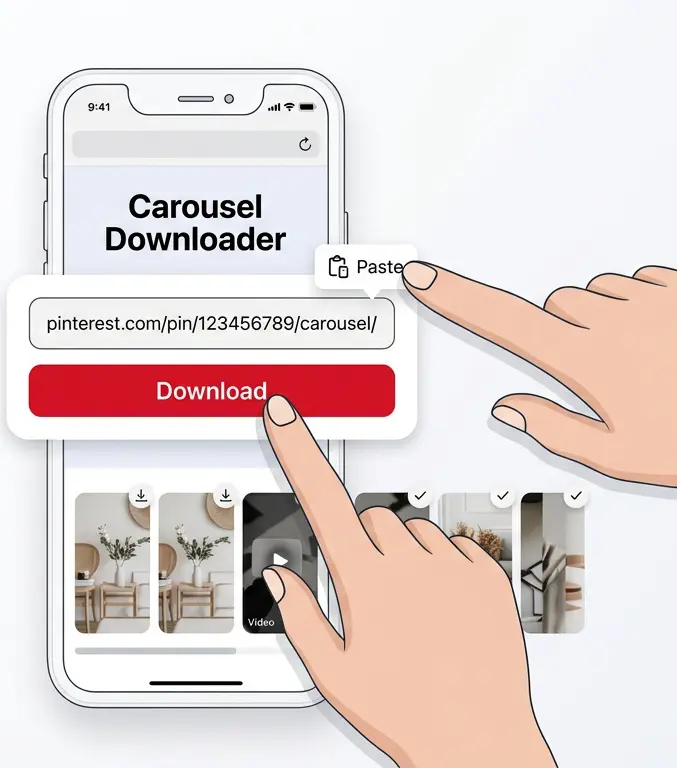
#2. Paste it above
Paste the link into the box and click download.

#3. Save every slide
Preview every slide and download them one by one, or as a ZIP.
What is a Pinterest carousel pin?
A Pinterest carousel (or "swipe") pin lets a creator publish several images — and sometimes short animated clips — inside a single Pin that people swipe through one by one. Regular downloaders only grab the first slide and miss the rest of the set.
Our Carousel Downloader reads every slide in the pin and gives you a direct download link for each one, or all of them bundled together in a single ZIP file, so you get the full set exactly as the creator uploaded it.
Pinterest Carousel Downloader Features
Download Pinterest carousel Pins quickly and easily with Snapzia. Save multiple images and videos from a single Pin, preview each item before downloading, and download the available content individually or as a ZIP file.
Download All Carousel Media
Extract the available images and videos from a Pinterest carousel Pin and access each item separately in one place.
High-Quality Downloads
Save carousel images and videos in the highest quality available from Pinterest while preserving the original media as clearly as possible.
Preview Before Downloading
Preview each carousel item before downloading it, making it easy to select the exact images or videos you want to save.
Download All as ZIP
Download all available carousel images and videos together in a convenient ZIP file instead of saving each item one by one.
Images and Videos Supported
Snapzia can handle carousel Pins containing images, videos, or a combination of both, depending on the media available from Pinterest.
No App or Account Required
Download Pinterest carousel content online without installing an app or creating an account. Just paste a public Pinterest Pin link and start downloading.
Frequently Asked Questions
-
Can I download all the images from a Pinterest carousel at once?
Yes. After pasting the carousel link, Snapzia extracts every slide in the pin and shows a separate download button for each one, plus a "Download All as ZIP" option to save the whole set in one click.
-
Why are some carousel slides videos instead of images?
Some Pinterest carousels contain short animated ("motion") slides that Pinterest stores as a looping video rather than a still image. Our tool detects this automatically and gives you the real moving file instead of a static frame.
-
Will the downloaded slides have a Pinterest watermark?
No. Snapzia doesn't add any watermark of its own. Each slide is downloaded at its original quality directly from Pinterest's servers.
-
Does this work with Pinterest carousels on mobile?
Yes. The Carousel Downloader works in any mobile or desktop browser, no app or account needed. Just paste the link and download.