Pinterest Reel Downloader
Save Pinterest Reels in HD quality, free and fast
How to Download Pinterest Reels in 3 Steps
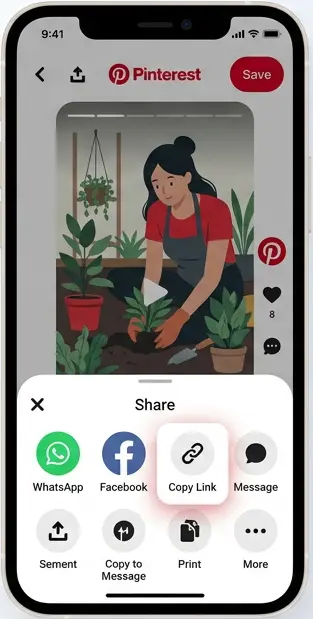
#1. Copy the reel link
Open the Pinterest Reel (Idea Pin) and copy its link.
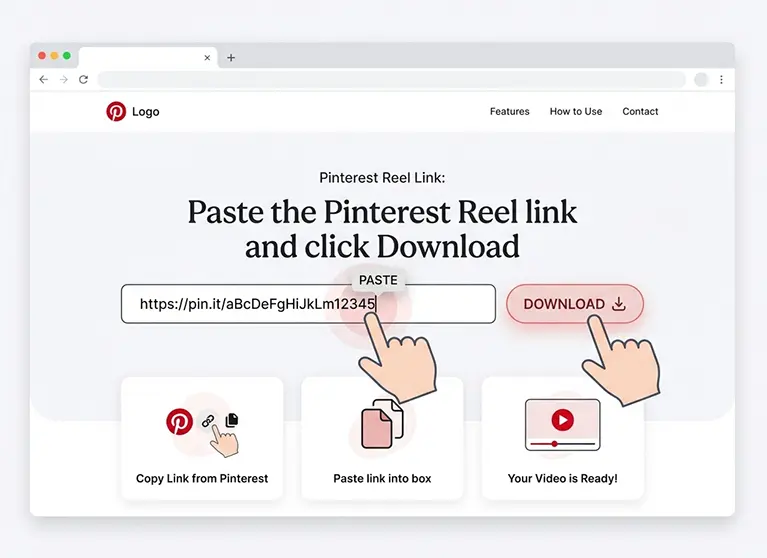
#2. Paste it above
Paste the link into the box and click download.
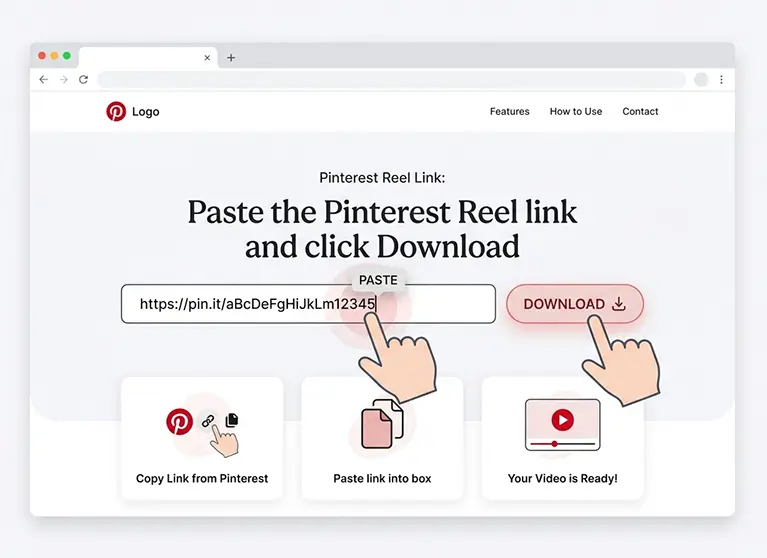
#3. Save the video
Preview the reel and download it with one click.
What is a Pinterest Reel, and how do you save it?
On Pinterest, short vertical videos are officially called "Idea Pins," but many people search for them as "Pinterest Reels" because of how they look and play, similar to Instagram or TikTok Reels. They're often multi-page, with each page containing its own short video clip.
Our Reel Downloader reads the Pin's data directly and fetches the actual MP4 file that Pinterest created for it, so you get the real video, not a screen recording. Paste a public reel/Idea Pin link below to try it out.
Pinterest Reel Downloader Features
Download Pinterest Reels quickly and easily with Snapzia. Save Reels in high quality with audio, preview videos before downloading, and use the downloader directly from your browser without installing an app.
Download Pinterest Reels in HD and 4K
Save Pinterest Reels in the highest quality available, including HD, Full HD, and 4K when the original video is provided in that resolution.
Download Pinterest Reels with Audio
Keep the original audio when it is available with the Pinterest Reel. Download the video with its sound for a complete viewing experience.
No Watermark Added
Snapzia does not add its own watermark to downloaded Pinterest Reels, so your saved video stays as close as possible to the original available file.
Preview Pinterest Reels Before Downloading
Preview the Reel before saving it to make sure you have selected the correct Pinterest video and want to download it.
Works on iPhone, Android, and PC
Download Pinterest Reels directly from your browser on iPhone, Android phones, tablets, Windows PCs, Mac, and other modern devices.
No App or Account Required
Use the Pinterest Reel Downloader online without installing software or creating an account. Just paste the Pinterest Reel URL and start downloading.
Why Choose Snapzia for Downloading Pinterest Reels?
Real MP4 File, Not a Screen Recording
Full HD Quality Preserved
Works on Mobile and Desktop
No Watermark at All
No Login Required
100% Free to Use
Frequently Asked Questions
-
Can I download a full multi-page Pinterest Reel or Idea Pin?
Snapzia currently extracts the available video from the Pinterest Pin. For multi-page Idea Pins, the tool may download the first available video clip rather than every page separately. Support for downloading all pages individually may be added in the future.
-
Why can’t I download some Pinterest Reels?
Some Pinterest Reels are available only as streaming content, such as HLS, instead of a single downloadable video file. When this happens, Snapzia cannot create a single video file for download. Most public Pinterest Reels, however, can be downloaded normally.
-
Will the downloaded Pinterest Reel have a watermark?
Snapzia does not add its own watermark to downloaded Pinterest Reels. If the original video already contains a Pinterest username, logo, or other watermark, it is part of the original video file and is not added by Snapzia.
-
Can I download Reels from private Pinterest accounts?
No. Snapzia works with public Pinterest Pins that can be viewed without logging in. Private accounts, private boards, and content that requires access or authentication cannot be downloaded.
-
What quality will my downloaded Pinterest Reel have?
Snapzia requests the highest video resolution available from Pinterest for the Reel. Many vertical Pinterest videos are available in HD or Full HD, and higher resolutions may be available for some videos. The final quality depends on the original video and the versions provided by Pinterest.