Pinterest Story Downloader
Save Pinterest Story Pins in HD quality, free and fast
How to Download Pinterest Videos in 3 Steps
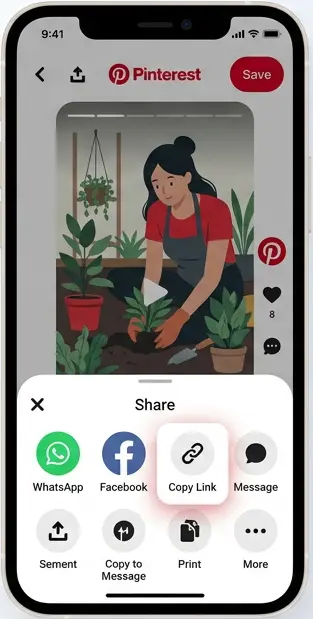
#1. Copy the story link
Open the Story Pin on Pinterest and copy its link.
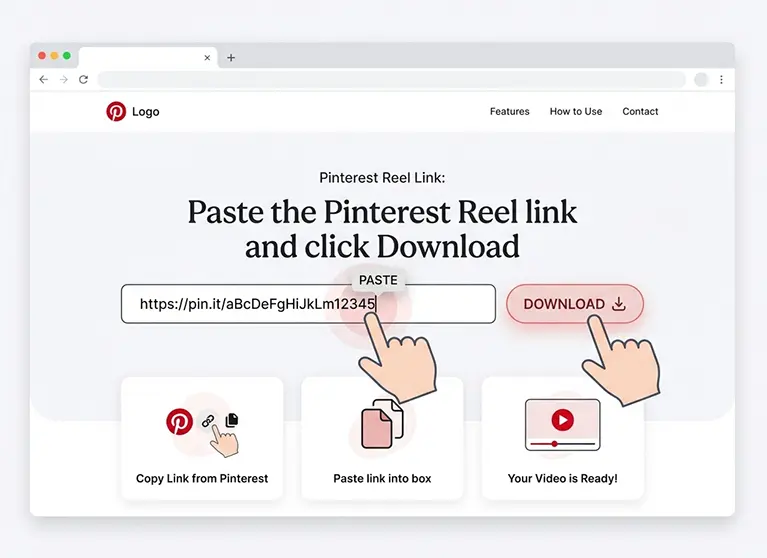
#2. Paste it above
Paste the link into the box and click download.
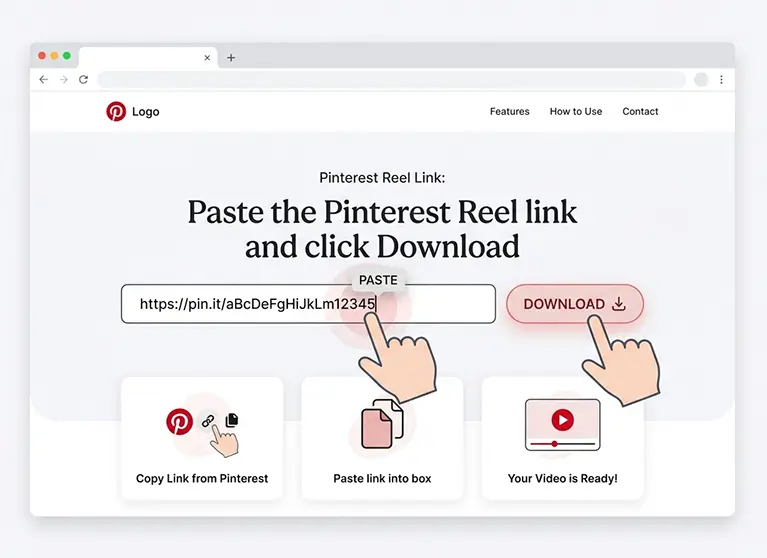
#3. Save the video
Preview the story and download it with one click.
What happened to Pinterest Story Pins?
Pinterest originally launched this multi-page video format as "Story Pins" in 2021, then renamed it "Idea Pins" the following year. Both names refer to the exact same content: short vertical video Pins made up of several pages, and many people still search "Pinterest story downloader" out of habit.
Whatever you call it, our tool reads the Pin's data directly and fetches the real MP4 file stored page by page, so you get the actual video, not a blurry screen recording. Paste a public story/Idea Pin link below to try it out.
Pinterest Story Downloader Features
Download Pinterest Stories quickly and easily with Snapzia. Save available Story videos and images in high quality, preview your content before downloading, and use the tool directly from any device without installing an app or creating an account.
Download Pinterest Stories in High Quality
Save Pinterest Story videos and images in the highest quality available from Pinterest, while keeping the original content as clear as possible.
Save Story Videos and Images
Download available Pinterest Story content in its original media format, whether it is a short video or an image.
No Added Watermark
Snapzia does not add its own watermark to downloaded Pinterest Stories. Any watermark or username already embedded by the original source remains part of the content.
Preview Before Downloading
Check the Pinterest Story preview before saving it. This helps you make sure you have found the right Story before downloading.
Works on Any Device
Use the Pinterest Story Downloader on your phone, tablet, laptop, or desktop computer directly from your web browser.
No App or Account Required
Download Pinterest Stories online without installing additional software or creating a Snapzia account. Just paste the public Pinterest link and start downloading.
Frequently Asked Questions
-
Can I download Pinterest Stories without an account?
Yes. Snapzia lets you download publicly available Pinterest Stories without creating an account. Simply paste the public Pinterest Story link and start the download.
-
Can I download both Pinterest Story videos and images?
Yes. Snapzia supports available Pinterest Story content, including videos and images, depending on the media provided by Pinterest for the public Story.
-
Will the downloaded Pinterest Story have a watermark?
Snapzia does not add its own watermark to downloaded Pinterest Stories. If a username, logo, or watermark is already embedded in the original media, it remains part of the original content.
-
Does the Pinterest Story Downloader work on mobile and desktop?
Yes. You can use Snapzia on smartphones, tablets, laptops, and desktop computers directly from your web browser. No additional app or software is required.