Pinterest Image Low Quality? How to Get the Best Resolution Available
Downloaded a Pinterest image and it looks blurry or too small? Learn why quality drops, how to get the best version available, and when the source itself is the limit.
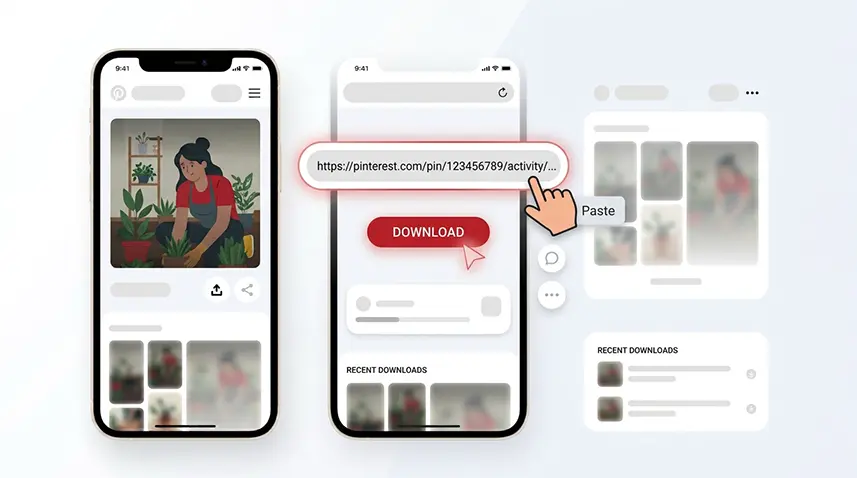
Downloaded a Pinterest image and it looks blurry, pixelated, or much smaller than you expected? The first thing to check is where the file came from. A screenshot, search thumbnail, or preview is not the same as the best image file available for a Pin.
Why does a Pinterest image look low quality?
There are several common reasons. You may have saved a thumbnail or screenshot instead of the image behind the Pin. The image may also have been resized or compressed before it reached Pinterest. In other cases, the creator simply uploaded a small source, so there is no larger version to recover.
Preview quality is not always the best available quality
What you see in the Pinterest feed is designed for fast viewing. Depending on the Pin and its source, a higher-resolution image may be available when the Pin is accessed directly. That is why downloading from the Pin link is usually a better approach than saving the preview or taking a screenshot.
How to download the best Pinterest image quality available
Copy the link to the specific Pin and paste it into Snapzia's Pinterest Image Downloader. If a higher-resolution image is available for that Pin, the downloader can use that version rather than a small preview.
If you are working with many images from one collection, you can also use the Pinterest Board Downloader instead of opening and saving every image individually.
What if the downloaded image is still blurry?
If the result is still low resolution, compare its dimensions with the image you saw on Pinterest. A genuinely small source cannot be turned into a sharp high-resolution original by a downloader. Image-upscaling software may make a picture look larger, but it cannot recreate all of the missing detail.
Try the original website behind the Pin
Some Pins point to a creator's website, shop, portfolio, or article. If the Pinterest version is too small, open the Pin and check its destination. The original website may offer a larger image that Pinterest does not expose at the same quality.
Quick checklist
- Use the direct Pin link rather than a search-result thumbnail.
- Avoid screenshots when you need the best resolution.
- Use an image downloader that reads the Pin itself.
- Check the original website if the Pin remains low resolution.
- Remember that no downloader can recover detail that was never in the source.
Related: If you need several images from a collection, see how to download an entire Pinterest board or how to download all images from a Pinterest carousel.
Frequently Asked Questions
Why is my downloaded Pinterest image blurry?
It may have been saved from a thumbnail, preview, or screenshot, or the Pin itself may only have a small or compressed source available.
How can I download a higher-quality Pinterest image?
Copy the direct Pin link and use Snapzia's Pinterest Image Downloader to retrieve the best image version available for that Pin.
Can a downloader restore the original quality of a blurry image?
No. A downloader can retrieve a better source when one exists, but it cannot recreate detail that was never present in the original file.
Is a Pinterest screenshot full resolution?
Usually not. A screenshot captures what is displayed on your screen, so it can be smaller or less detailed than the image file behind the Pin.
What should I do if the Pinterest image is still low quality?
Open the Pin and check its original destination. The creator's website may contain a larger or less compressed version.

Ready to download a Pinterest video?
Paste your Pinterest link and download the available video directly in your browser.